---
title: "Getting an x64-only Device Working on Windows on ARM: Writing a PC/SC Driver for the RC-S380"
description: "Windows on ARM emulates x64 applications, but drivers are excluded from emulation. The SONY PaSoRi RC-S380 NFC reader has an x64-only vendor driver, so I wrote an ARM64-native PC/SC driver for it: a UMDF2 virtual reader plus a Python relay. This is a field report from a thinly documented area. It covers the workaround for the WDK's missing MSBuild integration, an undocumented mandatory attribute called SCARD_ATTR_CHANNEL_ID, and a cache that faked success after USB disconnect. Source is published under MIT."
pubDate: 2026-08-10
tags: ["windows", "arm64", "driver", "nfc"]
series: ""
related: ["vmware-fusion-windows-on-arm-devenv"]
graphLabel: "RC-S380 WoA driver"
graphWeight: 1
lang: en
draft: false
ogImage: "/blog/windows-on-arm-rcs380-driver/og-en.jpg"
---
I started filing patents myself, without an attorney, and the e-filing has to happen on Windows — so [the first step was setting up VMware](/en/blog/vmware-fusion-windows-on-arm-devenv/).
Filing apparently needs an IC card reader, and bought new they are not cheap.
Yahoo Auctions had piles of them going cheap, so I bought a SONY PaSoRi RC-S380 contactless reader for 895 yen, buy-it-now. No manual, no box, cable included.
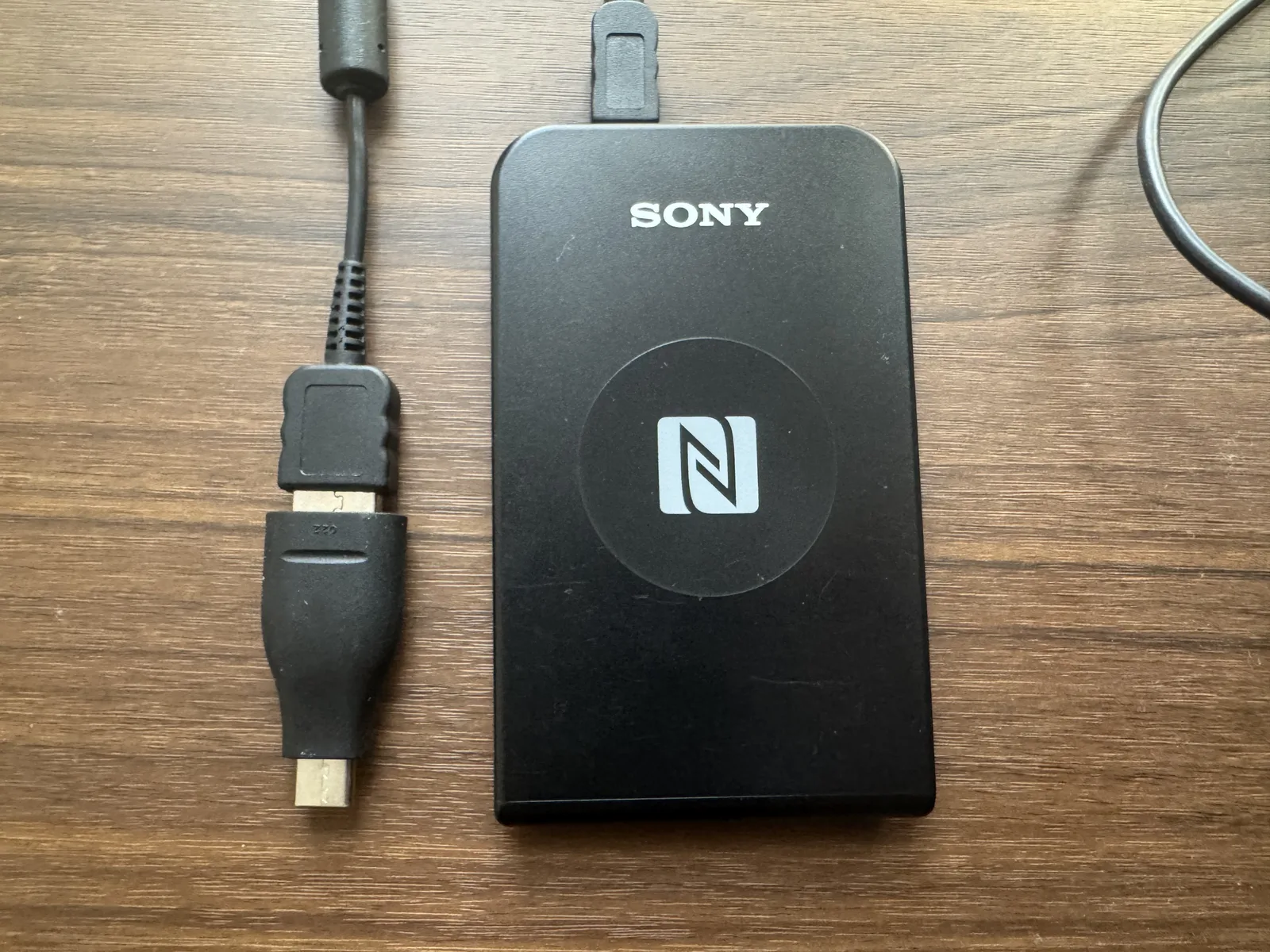
Then came the catch. The Windows on my Mac is Windows on ARM, the vendor driver does not support it, and the reader would not run. I refused to buy more hardware over that, so I wrote the driver myself. Before starting, Claude Code estimated the work at four weeks. It was finished in under a day.
Here it is:
bakemocho/rcs380-windows-arm64-driver
A homemade driver that turns the SONY PaSoRi RC-S380 into a PC/SC reader on Windows 11 ARM64. UMDF2 virtual reader plus a Python relay.
github.com · MIT License
AI seems to underestimate its own ability. Maybe because it learns from humans?
There is no installer, because shipping one costs money. Ask an AI to set it up for you.
That ARM64 Windows was out of scope — I learned that only after buying. Three options were on the table. Buy the current successor, the RC-S300 (around 3,500 yen on Yahoo Auctions). Borrow a Windows machine at an internet cafe. Or write the driver myself. I picked the third, the most fun one.
Fighting through it taught me how Windows drivers are put together, and that know-how is already being reused for a data-logger repair job from NT Giken Industries. What looked like the silliest option turned out to be the best one.
While we are here, a guess at why the S380 goes so cheap at auction.
- Production has ended, and even new units have collapsed in price (the cheapest new one on [Kakaku.com](https://kakaku.com/item/K0000426530/) is in the low 1,000-yen range)
- It was the standard model and sold in volume, so the used market is flooded
- The official software supports few environments, so owners let it go when their setup changes
- The current RC-S300 exists, so few people reach for the old model now
In short: useful to those who can use it, priced as junk.
The upshot is that no S300 purchase was needed. The AI tokens spent on the driver, subscription or not, may have cost about as much as the S300 would have. Even so, the experience carries straight into the next driver, and it was fun. Maybe the cheap S380s floating around got a little more valuable, too.
I have also filed one patent on my own, no attorney. Four more are in preparation. What they cover stays a surprise for now.
For the technically curious
Windows on ARM runs x86/x64 apps through emulation, so it is tempting to assume your devices will keep working too. That assumption breaks on day one, because emulation covers apps only. **Kernel-mode drivers and UMDF drivers are excluded** — a driver must be ARM64-native or it will not load.
A device whose vendor never shipped an ARM64 driver sits in Device Manager under "Other devices" with error code 28, meaning no driver installed. Windows Update finds nothing. Since the vendor isn't shipping one, waiting doesn't fix it.
The device that put me in this position was the SONY PaSoRi RC-S380, a contactless smart card reader whose Windows vendor driver is x64-only. So I wrote an ARM64-native PC/SC driver for it. The outcome first:
- The reader registers with the Windows smart card stack as a virtual reader. `SCardTransmit` exchanges APDUs with a card (response `9000`)
- It recovers from both OS reboots and USB disconnects with no manual steps
- The source is published under MIT: [rcs380-windows-arm64-driver](https://github.com/bakemocho/rcs380-windows-arm64-driver)
This post is a record of the walls I hit along the way. Building a UMDF2 smart card driver for ARM64 is thinly documented territory — most of these walls don't show up in a search. If you are heading down the same road, here is where the detours and the landmines are.
## "Talking over USB" and "usable" are separated by a step you can't see
The first myth to kill: on Linux, pcsc-lite happily registers a user-space libusb driver as a PC/SC reader. Arrive on Windows with that mental model and you walk into an invisible step.
In the earliest stage of this project (Stage 0), I bound the RC-S380 to WinUSB using a hand-written INF that references the inbox WinUSB driver, signed with a self-signed test certificate. Then I drove the reader directly from [nfcpy](https://github.com/nfcpy/nfcpy). USB passthrough, the Port-100 protocol, ISO 14443 Type B, ISO-DEP APDU round trips — all of it worked. The card was talking. It felt nearly done.
Except that from the point of view of any app that wants PC/SC, no reader existed. The Windows smart card service (SCardSvr, the resource manager) only accepts readers backed by a kernel-mode or UMDF driver with `Class=SmartCardReader`. Talking to the card from user space gets you exactly that — a conversation with the card — and no entry into the smart card stack.
Can a smart card reader even be written in UMDF? Yes. Microsoft documents the INF requirements for a vendor UMDF reader driver ([Installing Smart Card Reader Drivers](https://learn.microsoft.com/en-us/windows-hardware/drivers/smartcard/installing-smart-card-reader-drivers)). There are two of them, `Class=SmartCardReader` and `UmdfKernelModeClientPolicy=AllowKernelModeClients`. The kernel-mode helper library smclib is optional, and Microsoft's own inbox CCID driver is itself UMDF2. The belief that "smart card reader means kernel mode" is a myth you can kill from primary sources before writing a line of code.
## Architecture: the driver is only a virtual reader
The design splits the problem in two:
```text
Windows smart card stack (SCardSvr)
→ custom UMDF2 driver (ARM64 native) ← started automatically by Windows
→ TCP 127.0.0.1:35963 ← the driver listens
→ Python relay ← started manually
→ nfcpy
→ RC-S380
→ card
```
The driver acts purely as a virtual reader; the actual radio work happens in user-space Python. Three reasons:
1. nfcpy already implements the RC-S380's Port-100 protocol completely. Rewriting that inside a driver buys nothing.
2. nfcpy is EUPL-1.1 and I wanted the driver under MIT. Keeping them as separate programs talking over TCP means the licenses never mix inside a single work.
3. Debuggability. The relay is Python, so it can be unit-tested against a fake peer without ever building the driver.
For the wire protocol between the layers I reused the vpcd protocol from the [vsmartcard](https://github.com/frankmorgner/vsmartcard) project — a simple TCP protocol with a 2-byte big-endian length prefix. Riding an existing protocol meant the relay could be written without any protocol design work.
Two properties of that protocol are not obvious, though. First, the initiator flips between layers. The relay opens the TCP connection while the driver listens and accepts. Once connected, though, each exchange starts from the driver — it sends, then receives. Second, replies are asymmetric:
| Control code | Meaning | Reply |
|---|---|---|
| `0x00` | powerOff | must not reply |
| `0x01` | powerOn | must not reply |
| `0x02` | reset | must not reply |
| `0x04` | getATR | required |
| (anything else) | APDU | required |
Reply on the "must not reply" side and the stream shifts by one message. The nasty part is how it presents. Nothing breaks at the moment of the mistake — the two sides just stop making sense to each other at some later point. Having this table in hand before you start saves a great deal of pain.
## Building the driver for ARM64
WDK 10.0.26100.1 and later officially support ARM64-native development ([Building ARM64 Drivers](https://learn.microsoft.com/en-us/windows-hardware/drivers/develop/building-arm64-drivers)). So you would expect the build to be routine. Instead you hit the biggest wall of the project.
The WDK's Visual Studio integration ships as a VSIX, and **a VSIX installs only into the full Visual Studio product**. Visual Studio Build Tools is left out. Which means even with a `.vcxproj` in hand, `msbuild` in a Build Tools environment cannot build a driver.
The detour came from the nature of UMDF2 itself: a UMDF2 driver is, in the end, a user-mode DLL. So abandon the MSBuild integration and write a build script that invokes `cl.exe` and `link.exe` directly — that is [`driver/build-direct.ps1`](https://github.com/bakemocho/rcs380-windows-arm64-driver/blob/main/driver/build-direct.ps1) in the public repo. With KMDF this trick would not exist. A driver-model choice made early paid off at the toolchain wall.
In hindsight this was a gain rather than a compromise. Dropping the dependency on full Visual Studio made the build easier to reproduce.
Past that wall, smaller ones keep coming:
| Symptom | Fix |
|---|---|
| `vs_buildtools` rejects `--log` with exit code 87 | rerun without the option |
| `WdfDriverStubUm.lib` wants `DbgPrintEx` at link time | link `ntdll.lib` |
| `initguid.h` collides with GUID definitions in `winioctl.h` (C2374) | define the GUIDs locally |
| WDF headers emit C4324 under `/W4` | suppress that warning |
| character-encoding compile errors | add `/utf-8` |
Each one is small. But stepping on five in a row makes you start wondering whether the whole route is a dead end. It isn't — every one of these is a known property of the toolchain, and they fall one by one. Build work in uncharted areas is partly a skills problem and partly a test of how long you can hold that doubt.
One more check worth stating explicitly: building on an ARM64 machine does not guarantee ARM64 output — pick the wrong toolchain and you silently get x64 binaries. Rather than assume, I checked two things — that the compiler exists at `bin\Hostarm64\arm64\cl.exe`, and that `dumpbin` reports `AA64 machine (ARM64)` on the output. Environment: Windows 11 24H2 (ARM64), MSVC 14.44, Windows SDK 10.0.26100.0, WDK 10.0.26100.1 — about 12 GB of toolchain in total.
### Why there is no installer
Honesty about signing: the driver package is test-signed only — a self-signed test certificate with testsigning enabled. `New-FileCatalog` builds the catalog, the test certificate signs it, `pnputil` registers the package, and `devcon` creates the root-enumerated device.
The constraint that follows is blunt: anyone else who wants to run this driver must disable Secure Boot and enable test signing. That is why I published source instead of an installer. It is valuable to someone who can build it, and useless as a double-click install. Shipping a driver that loads on stock Windows requires attestation signing through the Microsoft Partner Center program — and that is the honest state of hobby-scale Windows driver distribution.
## The landmines
What these landmines have in common is that they all **break in ways that don't look broken** — the symptom points somewhere other than the cause.
### Landmine 1: `SCARD_ATTR_CHANNEL_ID` — skip it and reader registration is refused
The most important one. The symptom: the reader appears in `SCardListReaders`, name and all. Yet every `SCardConnect` fails with `SCARD_E_UNKNOWN_READER`.
"Listed but unknown" is a contradiction that sends you straight to the wrong place: you start double-checking the reader name for typos and case mismatches, and the hours evaporate. The cause has nothing to do with the name. It is a single missing attribute named `SCARD_ATTR_CHANNEL_ID` (`0x00020110`).
When a reader is added, the PC/SC resource manager queries this attribute. Return `STATUS_NOT_SUPPORTED` and it logs System event 610 and **refuses to register the reader at all**. But the name still lands in the reader database, so `SCardListReaders` keeps listing it. Registration failed, enumeration succeeds — that mismatch is precisely what disguises the symptom as a naming problem.
The value is constructed as `SCARD_ATTR_VALUE(SCARD_CLASS_COMMUNICATIONS = 2, 0x0110)`, encoded `0xDDDDCCCC`: high word is the connection type, low word the channel number. NFC is `0x0100`, so channel 0 gives `0x01000000`.
Here is the structural problem: this attribute is a hard requirement for reader registration, and the documentation never says so. Worse, the event log renders the query as raw bytes (a header like `10 01 02 00`), so staring at event logs will never reveal it. What cracked it was the driver's own file log ([`driver/log.c`](https://github.com/bakemocho/rcs380-windows-arm64-driver/blob/main/driver/log.c)) — lining up what the resource manager asked, in what order, and what we answered. Only then was the moment of refusal visible.
That same attribute turned out to be unimplemented in vsmartcard's Windows driver as well, so I [reported it as #324](https://github.com/frankmorgner/vsmartcard/issues/324#issuecomment-5152573435). An interesting twist emerged there: the maintainer had already identified this exact attribute earlier, and had concluded that implementing it should be unnecessary. They had the identification right; the implementation was needed anyway. Undocumented mandatory attributes breed exactly this kind of near-miss.
### Landmine 2: my own diagnostic tool was producing the same symptom
Worth admitting in public. The PowerShell test script had a bug rooted in a language quirk — a pipeline result with a single element collapses to a scalar string. So `$readers[0]` returned not the reader name but its first character, and the tool reported that reader `'r'` was unknown.
For a while, landmine 1 and this bug were producing the same symptom. I thought I was debugging the driver; half the time I was debugging my own diagnostics. A diagnostic process that has no step for doubting the diagnostic tool itself will, at some point, get lost.
### Landmine 3: a cache that fakes success
Found in v0.3. Physically unplug the USB cable, and the PC/SC layer keeps reporting `PRESENT` with the old ATR — only `SCardConnect` fails.
My first written explanation was that the driver's `recv` had no timeout, hung, and held a lock. It sounded plausible. It was an unverified hypothesis, and it was wrong — the correction belongs in the record as much as the bug does.
The real cause was in the relay. It cached the tag it had sensed once and from then on answered ATR requests without ever touching the hardware again. The USB device was gone, but the cache lived on, `atr()` kept succeeding, and the driver kept believing a card was present. Far from hanging, the driver was simply being lied to.
The fix went into both layers, with distinct roles. In the relay, every poll now checks liveness via `tag.is_present`. On a USB I/O error it closes the frontend and retries opening every 2 seconds — fast detection, fast recovery. Meanwhile the driver got a 30-second receive timeout. That one is purely the last line of defense, there to make a permanent hang impossible; in normal use it never fires (verified by measurement).
Choosing that timeout value was a design decision. Tighten it to ~5 seconds and you manufacture a new failure mode: legitimately slow APDUs get cut off. Once you decide which layer owns fast detection, the numbers in each layer choose themselves.
### Landmines 4 and 5: quiet traps for script authors
Two small ones that anyone scripting driver management will hit.
Driver packages registered with `pnputil` get names like `oem9.inf`, `oem10.inf` — and the number changes on every update. Bake it into a script or a runbook and the next update silently points you at a different package. Verify by `DriverVer`; `oemNN` is not an identifier. (Old packages don't need cleanup, by the way — PnP correctly selects the newest version. Measured.)
And `pnputil` output is localized. A script that parses the Japanese output strings breaks silently on an English system. For the same reason, public docs should quote the English log strings instead of localized ones.
### Landmines 6 and 7: two upstream reports, and a structure where the bug can't exist
While working on UMDF2 support I found and reported two problems in vsmartcard's code.
One is mixed completion-status types ([#335](https://github.com/frankmorgner/vsmartcard/issues/335)). UMDF1 completes requests with `HRESULT`; UMDF2 completes with `NTSTATUS`. The existing code mixed the two — using `STATUS_NO_MEDIA` in an `HRESULT` context, for instance — so moving to UMDF2 requires normalizing every completion site. Mechanical work, but miss one and SCardSvr misbehaves.
The other is iterator invalidation in the cancellation path ([#334](https://github.com/frankmorgner/vsmartcard/issues/334)): an iterator kept being used after `erase` on a `vector`.
In my driver I chose not to have that structure at all. Instead of tracking insert/remove wait requests in a hand-managed `vector`, the driver hands them to UMDF2's manual queue ([`driver/queue.c`](https://github.com/bakemocho/rcs380-windows-arm64-driver/blob/main/driver/queue.c)). Manual `MarkCancelable` bookkeeping disappears, and with it the room for the iterator bug to exist. Not fixing the bug — removing the place where it lives. An option you only get when you are writing fresh code.
## Testing: a run that skips the changed path proves nothing
Promotion of a new driver version into the configuration I use day to day requires passing all three of these:
| # | Test | What it checks |
|---|---|---|
| 1 | End-to-end card read | `SCardTransmit` returns `response: 9000` |
| 2 | Recovery from OS reboot | driver auto-starts / active version hasn't fallen back / testsigning persists / USB assignment persists |
| 3 | Recovery from USB disconnect | state updates during disconnect, and fully automatic recovery |
How it became three matters more than the list. The original plan was to promote on one criterion, re-confirming that `9000` comes back. But one version's changes were entirely in the disconnect/reopen path — a path the happy-path `9000` test never touches. In that version's run, Test 1 passed and only Test 3 exercised the behavior the release was about. Promoting on Test 1 alone would have shipped the fix without ever testing whether it fixed anything.
The general form: if your promotion criterion is a happy-path smoke test, a change can get promoted without its content ever being exercised. A test run that skips the changed path proves nothing about the change.
Test 2 produced a bonus. During the reboot rehearsal, the TCP port was already LISTENING before the relay had been started. So the driver auto-loads at boot and brings up its vpcd TCP server all on its own. That pinned down the post-reboot manual procedure to exactly one command (start the relay) and deleted a step from the runbook. Testing is also a way to discover the spec: I went to check whether it recovers and learned how far it recovers unaided.
Test 3 quantified the v0.3 → v0.4 difference. PC/SC state during disconnect went from a stale `PRESENT` with an old ATR to an immediate `EMPTY | CHANGED`. Detection went from never to one polling cycle — the relay catches it long before the driver's timeout would. Recovery went from manually restarting the relay to fully automatic: replug, and it goes all the way back to `9000`. The log went from endless tracebacks to one line, `reader not available at usb:054c:06c1 ([Errno 19] No such device)`. Endless tracebacks bury the real cause of whatever happens next; log quality is a fair thing to test for.
Finally, two traps inside the tooling itself. The check script wasn't returning an exit code — so a caller could take a failure for a success, which quietly invalidates every pass report. And the locale-dependent `pnputil` parsing (landmine 5) nearly caused the verified version and the active version to diverge. A pass report assumes that the check ran at all. Test tools deserve the same rigor as the thing they test.
## Closing
The public repository [rcs380-windows-arm64-driver](https://github.com/bakemocho/rcs380-windows-arm64-driver) contains the UMDF2 driver (`driver/`), the Python relay (`relay/`), and the test tools (`tools/`). The sections of this post map roughly onto these files:
| Topic | Where in the repo |
|---|---|
| Architecture and the vpcd protocol | `driver/vpcd.c`, `relay/vpcd_protocol.py` |
| Build walls and the detour | `driver/build-direct.ps1` |
| `SCARD_ATTR_CHANNEL_ID` | `driver/reader.c`, `driver/log.c` |
| The cache that faked success | `relay/card_backend.py` |
| Structural avoidance via manual queue | `driver/queue.c` |
| The three promotion tests | `tools/pcsc-e2e.ps1` |
If your Windows on ARM machine shows a device stuck at code 28: for the class of hardware a UMDF2 driver can serve, you have an option beyond hoping the vendor ships one. Begin with three things in hand — the gap between talking over WinUSB and being usable over PC/SC, the detour around the VSIX wall, and `SCARD_ATTR_CHANNEL_ID` — and this post has done its job.