Blog
Taper measurement: the iPhone LiDAR scan attempt that failed first
Before the telephoto-camera approach, I first tried measuring taper angle with a 3D scan. The iPhone LiDAR / ObjectCapture prototype never got past the capture-start state. A record of that dead end.
Problem
There is a prequel to the previous article about measuring taper angle with a phone’s telephoto camera. Pseudo-parallel projection was not my first idea. What I reached for first looked more direct. Scan the part, fit a cone to the point cloud, done in one shot: angle and diameter both, and it looks like you can be careless about shooting conditions too. The iPhone has LiDAR built in. The obvious move, surely, was this one.
If you only want the conclusion, jump to Takeaway.
The trigger was seeing WIDAR, a consumer 3D-scanning app (discontinued as of this writing). Never mind the platform layer of UI, sharing, and export; I judged that the core scanning had to be a thin wrapper over Apple’s own ObjectCapture / ARKit frameworks. If so, I could build the equivalent myself. So I started.
Idea
Combine ObjectCapture with ARKit’s LiDAR mesh export: walk around the part, reconstruct a 3D mesh, then fit the tapered faces from it. ObjectCapture’s pitch is exactly this, that you get 3D data by just moving the phone around the object, no dedicated fixture. The pipeline sketch practically drew itself.
Building it really was easy
The “thin wrapper over standard frameworks” read was correct. An app that starts an ObjectCapture session and exports a LiDAR mesh came together by simply following the framework’s own state machine (detect, capture, reconstruct). No drama so far. Honestly, I thought I had this one.
Failure
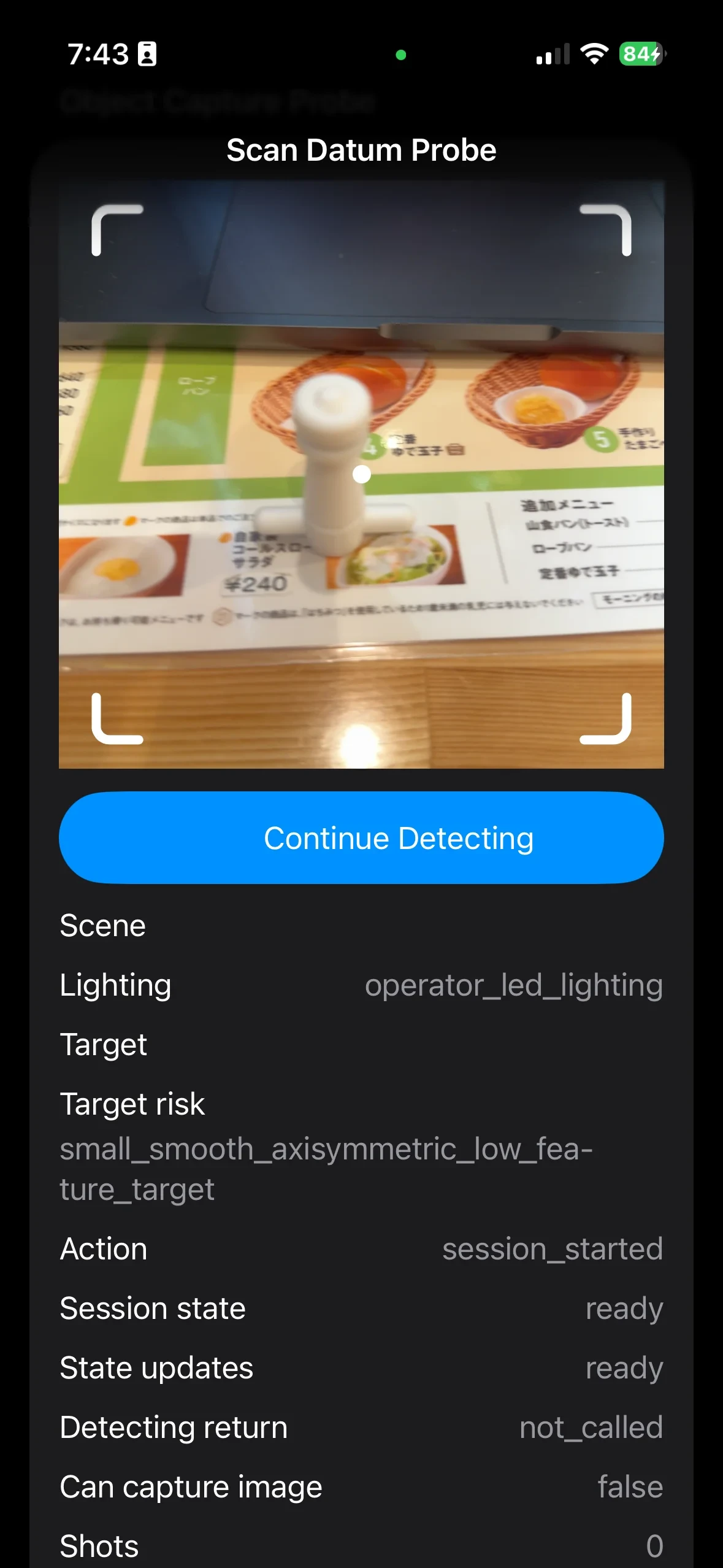
Then I pointed the app at the actual part, and it never even entered the capture state. startDetecting kept returning false, and the only feedback was movingTooFast and environmentLowLight, on repeat. Slowing down, changing the lighting, changing the distance: the shot count stayed at zero through all of it.
The implementation was done, and yet nothing moved. With no suspect code to blame, the cause was that much harder to pin down.
Diagnosis
Digging in, this turned out not to be a wall you climb by tuning conditions.
Not enough resolution. Published evaluations put the iPhone LiDAR’s practical accuracy at roughly the 10 cm scale and above. Millimeter-scale taper detail sits outside what the sensor can resolve at all.
No features to track. ObjectCapture’s photogrammetry reconstructs a mesh by matching surface features across images. This part is small, smooth, and axisymmetric: close to the worst case for photogrammetry, because the surface offers almost nothing to match between frames. I now read the movingTooFast warning not as a complaint about motion, but as the pose estimator falling apart after losing its features.
In other words, the implementation was not the problem. The physics side, sensor resolution against object shape, meant this method was never going to work here.
Pivot
I also looked for the escape hatch of a cheap clip-on telecentric converter lens for the iPhone. No such product exists on the market.
So I stepped back one level. The part is an axisymmetric tapered surface, and what I actually need is not a 3D point cloud but a single scalar: the angle between the two edges of its silhouette. Then 3D reconstruction is simply unnecessary. Drop one dimension, read the angle from the silhouette of a single still image. That is what led to the telephoto, pseudo-parallel-projection method of the previous article.
Takeaway
The lesson of this failure is not “I was bad at LiDAR scanning.” It is that the principle I picked was over-dimensioned for the quantity I wanted, and on top of that, close to worst-case matched to the object’s shape. Building it was as easy as predicted. But how easy something is to build and whether its principle holds for your object are entirely separate axes.
When you lack the dedicated instrument, the first question is not “can I build a substitute easily.” It is “how many dimensions of information does this actually need,” and “does this principle hold for this shape.” Had I answered those two first, this app would never have been written. Then again, writing it is what lets me explain exactly why the next method was the right one, so as tuition goes, it was cheap.